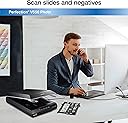
📸 Scan sharp, restore fast, and relive your memories in vivid color!
The Epson Perfection V550 is a versatile flatbed scanner delivering ultra-high 6400 DPI optical resolution for photos, film, and documents. Featuring built-in transparency scanning, Digital ICE for dust and scratch removal, and ReadyScan LED for instant operation, it’s designed to restore and digitize your memories with professional-grade color depth and productivity-enhancing features like multi-photo scanning and OCR text conversion.


| ASIN | B00E1O74SW |
| Best Sellers Rank | #290,634 in Office Products ( See Top 100 in Office Products ) #28 in Flatbed Scanners |
| Brand | Epson |
| Built-In Media | Computer Scanner |
| Color Depth | 48 bpp |
| Connection Type | USB |
| Connectivity Technology | USB |
| Customer Reviews | 4.2 out of 5 stars 1,417 Reviews |
| Global Trade Identification Number | 00010343908451, 08715946529028 |
| Item Dimensions D x W x H | 11.02"D x 19.09"W x 4.64"H |
| Item Weight | 9.6 pounds |
| Light Source Type | LED |
| Manufacturer | Epson |
| Media Type | Negatives, Photo, Slide |
| Minimum System Requirements | Windows 7 |
| Model Name | Epson Perfection V550 |
| Optical Sensor Technology | CCD, CMOS |
| Product Dimensions | 11.02"D x 19.09"W x 4.64"H |
| Resolution | 6400 |
| Scanner Type | Photo, Text, Document, Film |
| Standard Sheet Capacity | 1 |
| UPC | 010343908451 |
| Unit Count | 1 Count |
| Warranty Description | One year limited |
| Wattage | 16.5 watts |
J**P
4.5/5 - Produces quality files & easy to use, but has DIGITAL ICE LIGHT only (applies to negatives only, not photos)
This is really more of 4.5 because of some of the confusing descriptions. This scanner comes with DIGITAL ICE LIGHT, not the full DIGITAL ICE technology. "Light" means that the technology only works on scanning negatives, not photos. I didn't find this out until I was reading through the user guide online and read another review on the Epson site. This is the first scanner that I have bought specifically for photo's. Once you figure it out, it is really easy to use and provides great scan quality. I love all the options you have when scanning, it fits every one of my needs. I can scan quickly for documents or less important photo's, or I can get quality files when I scan important photo/negatives. My father passed away last year and I have digitizing all the old family photos so that we can get the stories and names of everyone before we lose any more family members and their memories. I was using a general scanner and spending way too much time having to crop out each photo. This scanner does an AMAZING job of auto-cropping each photo (if there is at least 1/4" between each photo) or letting you tell it where to crop and then saving each one in it's own file. It also has a lot of auto enhancing features that work on most photo's. There is no user guide that comes along with the scanner (most items don't anymore) and the user guide online isn't great, but there is a lot of information on line to supplement the information. Since this is my first photo scanner, I don't have anything to compare it to directly. The quality of the scanned photos is great, but the quality of the scanned negatives is AMAZING. I am scanning negatives that are 65 years old! They are as clear as day and the ICE "technology" seems to be working great. The downside is that this scanner only has ICE Light, which means that the "technology" to remove scratches only works when scanning negatives, not photos. This seems odd, since most scratches are going to occur on photos and not negatives, and most items to be scanned nowadays are going to be photos. It seems like any product that is manufactured from here on out should be with that in mind. This is the latest release of these scanners and has the most options, so it is really odd that it didn't have the latest technology.
J**Y
Surprised and Impressed
I've tried other slide scanners in the past - several years ago - with disappointing results. When I stumbled across several dozens of 35mm slides from my late stepfather's stuff, I decided to give this one a try. I'm impressed and very satisfied with the results - it's a real good bang for your buck. Installation was painless using the quick start info and CD. I loaded some slides into the plastic insert and fired it up. First thing I did, was go to "Professional Mode" which provides a lot of options that will improve the quality of your scans. Primarily, increasing the DPI setting allows for larger images - setting at 2400 DPI produces images of about 3.5-5MB, and resolution of 3000. I also upped color depth to 48-bit color. It also slows down the scan time - I think 3-4 minutes for 4 at a time on my low end Dell. I uploaded several of the scanned images to Target and had a bunch printed for my mom. The printed results are Very Good in my opinion - close to excellent really when you consider many of these are from the 50s, 60s, 70s and 80s and allowing for imperfections from scratches and dust. Scanning at a high resolution allows for more printing options - I had one shot printed at 8x10 and 5x7. Yes, there are specks of dust (I didn't do any cleaning prior) - I cleaned up several scans using a smudge tool. I have not used any of the built in adjustment options such as unmask, dust removal or "digital ice". I prefer to scan them as raw files and use a real old copy of Paint Shop Pro 7 to manually adjust. I find tweaking the color balance, sometimes a sharpen and some brightness or gamma correction produces some very good results. Other photo tools provide these basic options too I think. Or you can use pro tools like Photoshop. I would recommend this scanner - for slides or negatives - to anyone who wants to save some old photos that can produce great results to preserve your memories. A terrific value.
E**R
and creates great scans. The other scanners (one a dedicated and ...
I have used several different scanners to archive my negative collection, and this one is the easiest to use, and creates great scans. The other scanners (one a dedicated and expensive film/slide scanner which didn't last very long) were slow or only scanned one image at a time. This one will scan up to twelve 35mm images and takes about 2 1-1/2 minutes per image at 6400 DPI (it should be less at lower DPI settings). It has the ability to scan medium format negatives and 35 mm slides, but I don't have any on those formats. The only problem I have encountered is that some of my negatives are very curled, and don't want to lay flat in the holder, and touch the glass which creates a slight rainbow effect at that spot in the scan. Small cross bars and a top plate that holds more securely would likely fix that problem. Overall I have scanned more than 1500 images without so much as a hiccup, and it is certainly worth the asking price if you want to archive your older negatives and slides. I have not used it to scan any paper documents, but having seen the output from the negative scanner I have no doubt it will be just as good.
S**R
Well worth the money
My mom passed away about 5 years ago and my dad has taken it so hard that he threw out all the family photos so he wouldn’t be reminded of her. Luckily, he found the negatives, so I’ve been digitizing them. At first, I just wanted to get started right away and didn’t want to spend much money, so I went ahead and ordered the Kodak Mobile Film Scanner for $39. It was the cheapest one out there. With further investigating, I decided it probably wouldn’t be the best solution if I wanted to have good quality. I had looked up on youtube how to make your own scanner using your phone, glass from picture frames, a tablet (for the light), a box, and some tuna cans. I downloaded the Kodak app and tried it out. The quality was terrible! So I figured the Kodak Mobile Film Scanner would be about the same. So I decided to search online and read reviews on amazon for the best scanner out there. After all, if I’m going to spend all this time scanning thousands of negatives, I might as well make it worth it and get quality good enough to print if I wanted to. The problem with reviews, though, is that everyone has different standards of quality. I read some reviews on the same items that say the quality is great, while others say it’s horrible. So I decided to base my decision on customer’s photos of the results of each product. So before the Kodak even arrived, I decided to order the Epson v550. It is a flatbed scanner but also does negatives. (I received the Epson days before I received the Kodak, even though I ordered the Kodak a couple days before ordering the Epson—both on Amazon.) The Espson v550 is the latest model and costs less than its predecessor (v600). Comparing the Espon v600 ($200) with the Epson v550 ($160), they are pretty much the same. The only difference is the software. The v600 has the capability to get rid of scratches and imperfections on negatives AND photos that are scanned (with Digital ICE software), while the v550 only despeckles negatives. Since I wasn’t worried about photos, I figured for $40 less, I’d go with the v550. If using one of the negatives holders, like for the 35mm film, it is very easy and you can simply place them and press scan. The 35mm holder can fit two strips of negatives. If using 110 negatives, which does not come with a film holder, you have to either place them directly on the glass, or buy an adapter. Since I had a lot of 110 negatives, I went ahead and bought the 110 adapter. Using 35mm film, one thing to keep in mind if you want the negatives to be scanned in a particular order, is that it scans the bottom negatives first (the ones closest to the edge of the cartridge.) Software Settings: Full Auto Mode is really easy, just press the “start” button on the machine and it automatically scans individual frames (provided you are using the templates [holders] that they provide with the correct film.) I scanned 413 frames in 8 hours. All I did is place the negatives in the cartridge and hit the Start button on the machine and walked away for a few minutes. It did the rest. I did have to do the initial settings on the first run. It scans each frame, one at a time, so it takes about a minute per frame. This was on the setting to make the end result 4x6’s at 300dpi, and I didn’t have Digital ICE checked. Digital ICE removes scratches and flaws on the negative. To get out of auto mode, press the “start” button (or open the software), then click “pause” with your mouse, and change to “Home Mode.” Full Auto Mode is great for 35mm film, but if using another size, like 126 or 110, it has to be done in Home Mode. On Preview you have to select each frame in Normal preview mode, otherwise it cuts the frames in half. I found that 3200dpi was best for the 110 negatives, which makes it over 300dpi once it is enlarged to 4x6 inches. I didn’t try any higher, though. In Home Mode, it will go up to 4800dpi, but in Professional Mode, it will go up to 12,800dpi, but doesn't do negatives. One thing that is very frustrating is that after you select each frame, you have to click “All” before scanning. Otherwise, it will only scan the last frame that you selected. “Remove dust” sometimes blurs the eyes, as though it registers eyes as dust spots, so I make sure it is not checked in Full Auto Mode. “Digital ICE” makes it really slow, but is very good at removing scratches. “Color Restoration” is pretty good, too, for adjusting color. For large batches that don’t have a lot of scratches, I just use Color Restoration, but for negatives that I want to spend more time on, I use both Color Restoration and Digital ICE, then I go further into Photoshop. Pros and Cons of the Espon v550 Pros •Produces excellent quality photos. •Digital ICE and Color Restoration features in the software are excellent as well, and saves time from having to photoshop. (You will still need to photoshop some, depending on the negative.) •Has the capability to scan a multitude of different sized negatives, as well as regular photos and documents. •Easy to use. •The actual working part that you do yourself is not much, so it’s fairly quick compared to if you were sitting at the table with your phone, taking photos of each individual frame, especially if you are scanning 35mm and have it on auto mode. Cons •It does not come with the 110 template, so you have to buy a very expensive adapter or make your own, or have them on the direct glass, which can make the negatives move around a lot. •When selecting the individual frames, it is very difficult to see because it shows it so small. It would be nice to zoom in a little bit. It can zoom in, but only on one frame. Conclusion Overall, the Epson v550 is well-worth the money spent. It is excellent quality, easy to use, and pretty fast. It is really amazing that it can turn a 1/2” size negative into a 4x6” (up to 8x10 inch [at 4800 dpi]) photo. I've included some images for the review that compare the kodak mobile scanner with this one. You can clearly see the difference. I've also included a video showing how to use it with a 110 negative adapter.
R**T
WORLD'S WORST TELEPHONE TECHNICAL SUPPORT
I had previously purchased an Epson V370 Scanner to scan slides and negatives. I had one problem, and I called Epson Telephone Technical Support, and was instantly given the correct solution to my problem by someone who spoke and understood American English. The Epson V370 Scanner could not scan Medium Format (120 or 620 size) negatives, so I bought an Epson V550 Scanner, which can scan Medium Format negatives. I had only one problem with the Epson V550 Scanner, it would not scan Medium Format negatives. Like the V370 Scanner, it scanned everything and anything else perfectly. I imagined that if I called Epson Technical Support that I would have the same good results that I had the previous time that I called. I DID NOT. No one that I spoke to could speak or understand American English. No one that I spoke to knew what an Epson V550 Scanner was, what Medium Format film was, or anything else. I wasted hours on hold while the people who I was talking to asked other people what to do. The Metal Midgets at Epson Telephone Technical Support finally told me that the "Hardware" was defective, and that I had to send the scanner back and that they would send me a new scanner and that I had to give them my Credit Card number and that they would place a hold for $179.99 (although the V550 is $169.99) on my Credit Card until they had received by old scanner back, although they REFUSED to send an email confirmation of either the Credit Card transaction or tracking data on the new scanner that they were sending me. After the most aggravating hours of my entire life that I spent on the phone with Epson Technical Support (I still have a headache from it a day later), I sent an email to Epson email Technical Support and got the correct answer, go to "Configurations" and change film size. Oddly enough, this information is not in the 118 page PDF Manual on the Epson website, or anywhere else. I called Epson Telephone Technical Support to cancel the shipment of the replacement Scanner and Credit Card charges. The person I spoke to left me on hold for around 15 minutes, so I hung up. I called back a few hours later, and was told that the shipment and Credit Card charges could not be cancelled. I am going to refuse the package and call my Credit Card company to get the Credit Card charges taken care of. If any responsible person at Epson really cares about their Telephone Technical Support and if calls really are recorded for "quality assurance", the reference numbers are 140825991118 and 140825005158.
K**T
Slides were a bit challenging, but still gets 5 stars
This has been a real help in organizing my family history. My father took a zillion pictures of our family life, but they were mostly on slides. With this scanner, I'm able to do four slides at a time and save them where I need to. I haven't tried scanning pictures yet, but id the slides are any indication, I'm going to like it. It was easy to install, and the slim profile allows me to store it under my bed when I don't need it. If you're looking for a scanner with an ADF, this is not the one for you. You do have to open the cover each time to place something in there. Just a hint: If you're going to do slides, you have to remove the inner white cover. It comes off easily. Just open the cover, and pull it up and toward the ceiling. If you don't, the scanner gives you a scanning error, and it's NOT an intuitive error. The instructions don't mention removing the cover (or if they do, I certainly didn't "get it"), and even the Epson support site wasn't all that helpful in this respect. I think I finally found what I needed in the comments of a question. Once I took that inner cover off, I was good to go and was able to scan these memories really quickly and am pleased with the output. I haven't fiddled much with settings but I'm not looking for perfection - just a way to scan, store and share these memories.
J**P
Great hardware; Epson software not so good
First, I'll explain why I chose this over the V600. They are very similar products and these are the only notable differences I could find. V600 advantages: * Includes Photoshop Elements, albeit a 3 year old version (v9 from September 2010). * Digital ICE for prints as well as for film (V550 only has the latter). From the little bit of research I did, I get the impression that Digital ICE for prints doesn't work too well. V550 advantages: * Includes ABBYY FineReader 9.0 Sprint. * Newer hardware, so maybe it will be supported longer (this is just speculation). * Less expensive. When it first arrived, I installed the Epson software and made some scans which I compared against my 10 year old Canon multifunction device (MP370). I was disappointed. The colors from the Epson looked much less accurate, and there was too much contrast for my taste due to the auto exposure. Thankfully I had the idea to try other software: Windows Fax and Scan, VueScan, and SilverFast. The first two seemed to be an improvement over the Epson software. Then I tried SilverFast, and was amazed that I finally got a great looking scan with accurate colors. I immediately purchased SilverFast ($49) since the trial version leaves a watermark on the scans. Now when I compare the scans to those from my Canon, they look far better. One tip that I recommend in SilverFast: go to Preferences, CMS, and change the internal color profile to sRGB IEC61966-2.1. Most monitors, software, etc. are designed for the sRGB color space, so you will get more consistent results this way (especially because a lot of software isn't color space aware, e.g. IrfanView). Or, if you want to make 48 bit scans like I do: in Preferences, General, check "for HDR output" next to Gamma Gradation (otherwise no gamma correction will be applied, resulting in a dark image). Then you can use the "48 Bit HDR" scan setting. When scanning at 48 bit, SilverFast will embed the scanner's color profile into the image. Then, you must use editing software that's color space aware, e.g. Adobe Photoshop Elements, and before exporting your work, make sure to convert the color profile to sRGB.
M**H
Very good scanner for OSX
Excellent scanner for slides, negatives and prints. When I was researching what scanner to get to replace my old HP scanner I did a lot of looking around. This one was the best trade-off between cost and image quality. Since it uses LEDs to light it up there is zero 'warm-up' time. When I scan 35mm slides I can dial up the Dot Per Inch (DPI) so high that when I zoom in tight on the finished scan I can see the film grain! The software from Epson is pretty good too. It offers 3 modes that go from "I don't know anything about scanning pictures - just do it for me", to "I know just enough to be dangerous but I still want some control on how my pictures are scanned", to "I have a good solid understanding of how scanning works and I want be in complete control." Most of the time "Restore Colors" does a good job but occasionally it takes the colors over the top to make the picture look like a cartoon. But it's easy to turn it on, check the colors, and then turn it off again if you don't like it. Occasionally the software will misidentify a slide as being turned horizontal when it's actually vertical ... but usually a rescan of the preview will solve that. In six months worth of use I have only had one occasion that the software "got confused" and I had to toss out the preferences file to reset everything. But then it was all back to normal again. All in all ... this is a very good scanner with excellent performance without a major hit to the wallet. P.S. since I don't run Windows I don't know how well it works in that environment but if the software is similar to the Mac version you're good-to-go
R**Z
Llegó en perfecto estado
Todo muy bien, llegó mucho antes de lo que decía en el pedido y también venia muy bien protegido, lo uso para escanear negativos de 35 y 120 en Mac y sin problemas, lo recomiendo al 100%
G**S
¡Muy bueno! - Very Good!
¡Con mi primer proyecto con este nuevo escáner estoy muy contento con los resultados! Escaneando en color de 48 pedazos al TIFF, los colores salieron perfecto con respecto a la original (en mi monitor calibrado). ¡Mi impresora/escáner “multifuncional” viejo simplemente no podría VER algunos de estos colores! Usando él para el OCR, los resluts eran también muy agradables. ¡Número drástico reducido de errores del OCR! Estoy pensando en actualizar a la versión profesional de este software del OCR. Sin embargo de hecho el software dejaba de funcionar varias veces. No parece tener gusto que usted hace otras cosas en su ordenador al mismo tiempo. ¡Dejaba de funcionar cuando comencé con "Amazon Música"! También dejaba de funcionar cuando veía los resultados anteriores, mientras que trabajaba en el siguiente. Me pregunto si éste es el resultado de "Epson Event Manager", que vigila ciertas carpetas y eventos en la red y el ordenador. Estoy pensando en anularlo… No necesito las funciones de la red que ofrece y soltaré solamente los botones de delante del escáner. ¡Un sacrificio modesto si lo para que no funcionar el software! ¡En total estoy muy contento con él! - - - With my first project on this new scanner I am very pleased with the results! Scanning in 48 bit colour to TIFF, the colours came out perfect with regard to the original (on my calibrated Monitor). My old "Multifunctional" Printer/Scanner simply could not SEE some of these colours! Using it for OCR, the resluts were also very pleasing. Drastically reduced number of OCR errors! I am thinking of upgrading to the professional version of this OCR software. I have however had the software "crash" a number of times. It does not seem to like you doing other things on your computer at the same time. It crashed when I started up Amazon Music! It also crashed when I was viewing the result of previous scans, while it was working on the next. I wonder if this is to do with the "Epson Event Manager", which watches over certain folders and events on the network and computer. I am thinking of disabling this... I do not need the network functions it offers and I will only loose the buttons from the front of the Scanner. A modest sacrifice if it stops it "Crashing" the software! Overall I am very pleased with it!
X**S
Ich bin bisher zufrieden mit dem Gerät.
Rezensionen welche auch auf technische Details des Gerätes eingehen sind hier ja jede Menge zu finden. Deshalb nur kurz meine Meinung zu dem Gerät. Ich war nicht auf der Suche nach einem Profi Gerät und wollte auch nicht Unsummen dafür ausgeben. Ich wollte ein Gerät mit welchem ich einige alte Fotos, Negative und Dias (Standard Familienalbum Fotos, keine Profi Fotos und keine Fotos welche mit super-guten Kameras geschossen wurden) digitalisieren kann und das in einer anschaubaren Qualität. Ich möchte die Bilder nicht irgendwann nochmal scannen weil ich mich beim anschauen über die Qualität ärgere. Die Qualität sollte zumindest so sein, dass man sich die Fotos gut auf nem aktuellen TV anschauen kann. Die Software sollte ohne Macken funktionieren und mit Win10 klarkommen. ... ich muss sagen, für mich funktioniert das alles bestens. Ich bin mit dem Detailgrad der Scans zufrieden. Die TIF's pack ich auf's NAS falls ich später von dem ein oder anderen Foto doch nochmal nen größeren Abzug machen möchte. Als .jpg kommen die Fotos dann nochmal in die Cloud um sie von verschiedenen Geräten dann anschauen zu können. Natürlich hat jeder verständlicherweise andere Ansprüche an einen Foto-Scanner. Für mich, der seine 0815 Fotos gerne zur Erinnerung behalten und hin und wieder mal anschauen möchte ohne das Foto-Album aus dem Regal zu kramen, geht das mehr wie in Ordnung. Einen kleinen Negativpunkt möchte ich jedoch erwähnen. Wie auch teils in anderen Rezensionen zu lesen, war es auch bei meinem Scanner der Fall, das sich kleine Krümel "unter" der Scannerscheibe befanden. Diese konnte ich jedoch recht schnell mit einem fusselfreien Tuch entfernen. Zwei Schrauben sichtbar unter dem vorderen Teil des Scanners und zwei Schrauben unter den Halterungen des Scannerdeckels (sichtbar nachdem man den Deckel samt Halterungen nach oben aus dem Gerät herausgezogen hat) lösen.
M**O
prodotto molto valido
Acquistato per la scansione dei negativi, lo ritengo un ottimo acquisto, tenuto anche conto del prezzo. Sviluppando personalmente i rullini, la scansione di questi mi permette di creare un archivio digitale e successivamente di stampare i provini fotografici, risparmiando se non proprio tempo (visto che la scansione non è velocissima, almeno lavorando in modalità "professionale") sicuramente denaro rispetto allo stesso procedimento fatto in camera oscura. La qualità non è in alcun modo paragonabile al procedimento analogico, ma è un valido supporto nella scelta dello scatto migliore e nella sua prefigurazione prima di entrare in camera oscura. Ho effettuato una prova di stampa 13x19 (da scansione negativo a 3200dpi formato jpg) con stampante non eccelsa e non dedicata, e il risultato è stato accettabile. Torno a dire, nulla di paragonabile rispetto alla stessa stampa analogica. Il software è intuitivo e non ha mai dato problemi (su Mac), ma necessiterebbe di un restyle. Consegna come sempre puntuale
E**C
Top pour la photo, peu pratique pour la bureautique.
Excellente qualité photo, logiciel à la hauteur. Seul défaut, il est encombrant mais c'est normal pour un scanner à plat.
Trustpilot
1 month ago
2 months ago