Desertcart purchases this item on your behalf and handles shipping, customs, and support to China.
⌨️ Plug in, power up, and type like a pro—without breaking the bank!
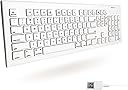
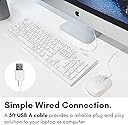
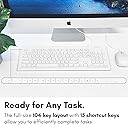
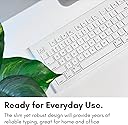
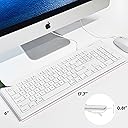
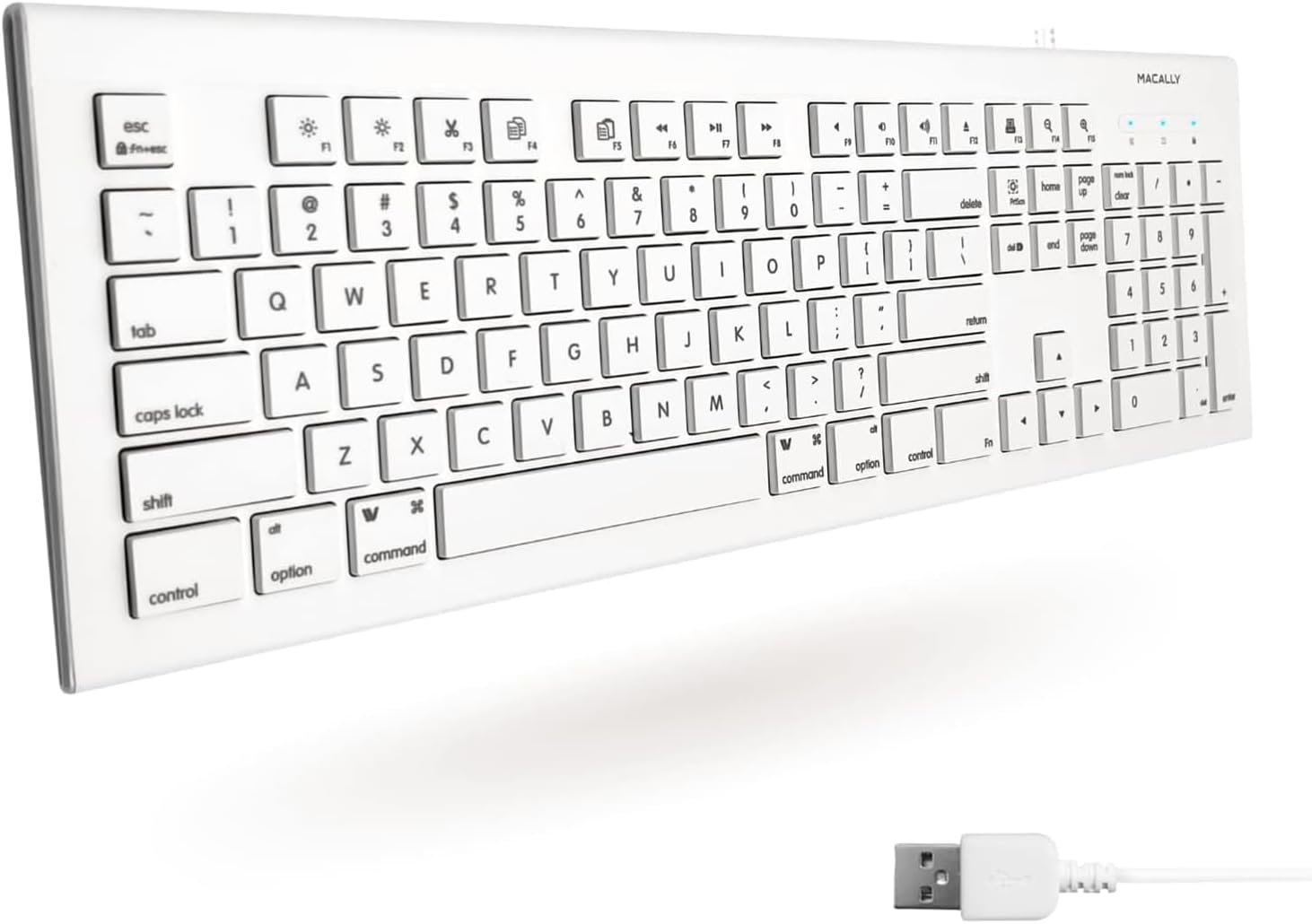
The Macally Full Size USB Wired Keyboard offers a 104-key tactile layout with a numeric keypad, 15 Apple-specific shortcut keys, and a slim, quiet design. Compatible with Mac and PC via plug-and-play USB, it delivers reliable performance and enhanced productivity at an affordable price, making it an ideal budget-friendly alternative for professionals seeking seamless Mac and Windows functionality.


| ASIN | B00A7Z0WQ0 |
| Additional Features | Compatible Apple Keyboard with Numeric Keypad, Hotkeys and Media Keys, Mac Keyboard, Macbook Keyboard, Macbook Pro Keyboard, Macbook Air Keyboard, iMac Keyboard |
| Antenna Location | Business, Education, Everyday Use, Home, Multimedia, Office, Personal, Student |
| Best Sellers Rank | #351 in Computer Keyboards |
| Brand | Macally |
| Button Quantity | 104 |
| Color | White |
| Compatible Devices | Laptop, PC |
| Compatible Operating System Family | ChromeOS, Linux, MacOS, Windows |
| Compatible Tablet Computer Models | AAUB P30 |
| Connectivity Technology | Wired |
| Customer Reviews | 4.3 out of 5 stars 5,174 Reviews |
| Enclosure Material | Acrylonitrile Butadiene Styrene |
| Global Trade Identification Number | 00701107491394 |
| Hand Orientation | Ambidextrous |
| Item Dimensions L x W x H | 17.7"L x 6"W x 0.81"H |
| Item Type Name | USB-A Keyboard US Layout for MKEYE Mac and PC |
| Item Weight | 1.4 pounds |
| Keyboard Description | QWERTY |
| Keyboard Layout | QWERTY |
| Language | English |
| Manufacturer | Macally |
| Mfr Part Number | 701107491394 |
| Model Name | 701107491394 |
| Model Number | MKEYE |
| Number of Items | 1 |
| Number of Keys | 104 |
| Number of Packs | 1 |
| Power Source | USB |
| Recommended Uses For Product | Business, Education, Everyday Use, Home, Multimedia, Office, Personal, Student |
| Special Feature | Compatible Apple Keyboard with Numeric Keypad, Hotkeys and Media Keys, Mac Keyboard, Macbook Keyboard, Macbook Pro Keyboard, Macbook Air Keyboard, iMac Keyboard Special Feature Compatible Apple Keyboard with Numeric Keypad, Hotkeys and Media Keys, Mac Keyboard, Macbook Keyboard, Macbook Pro Keyboard, Macbook Air Keyboard, iMac Keyboard See more |
| Style Name | Wired USB |
| Switch Type | Tactile |
| Theme | Computing |
| UPC | 801947293384 892652340517 701107491394 770993287015 |
| Unit Count | 1 Count |
| Warranty Description | 1 year |
W**S
Fixed the other keyboard
Using this off-brand keyboard for a few days fixed the official name-brand keyboard. I know this is a ridiculous claim, but here's what happened: At work we have an iMac for secondary purposes (such as making sure stuff also works on iOS and watching Netflix). It doesn't get used much, but it is beyond its warranty. The $50+ official Macintosh keyboard that came with it one day suddenly stopped responding to presses of the spacebar. (Everything else still worked.) I removed, cleaned, and reattached the spacebar a few times, and also rebooted the machine several times, but the spacebar would not start working again. (Apparently spacebar failure is very common in official Macintosh keyboards.) For the sake of typing the space character, I hooked up a for-Windows PC USB keyboard that I bought at the second-hand thrift store for a whole dollar. I also reattached the original Mac keyboard for the usefulness of its extra buttons such as the volume controls. This was an acceptable arrangement for a while, but then the Mac spacebar started to get and remain "stuck," even after I fully removed the physical key. (The experienced effect was that web pages would scroll all the way down, because that's what typically happens when you hammer the spacebar when no input field has focus. Netflix playback also experienced seizures because the spacebar pauses and resumes videos.) I detached the fancy-pants aluminum keyboard because of its latest malfunction, leaving us with just the plain ol' PC keyboard. Again, this was a mostly acceptable solution, but we eventually decided we should get an operating-system-appropriate keyboard since the Windows key doesn't behave like the Quatrefoil key and the PC F[unction] keys don't do any of the extra stuff that the Mac F[unction] keys do, so we ordered this one for $20. After a few days of use, I was about to put away the old Mac keyboard when I thought of trying one more test: I went to keyboardtester-dot-com, plugged in the old keyboard and started mashing keys. To my surprise, the spacebar was working properly again! We put this new keyboard back in its box and we're holding on to it as an emergency backup, but unless the official Mac keyboard craps out again, we'll probably never ever use it again (for lack of need). By the way, this "Macally 103 Key Full-Size USB Keyboard with Short-Cut Keys for Mac" isn't really full-size; it's about an inch narrower than an actual "full-size" keyboard, which is achieved by smooshing the arrow keys and the six above between the main keys and the num pad, so its actually a "compact keyboard (with num pad)." The keys are comfortable to press, but one person said she kept getting confused by the compact arrangement of the arrows and the six above. I should knock a star off for this, but this product earns an extra 10 stars for A) having a functioning spacebar, B) fixing the other keyboard, and C) not being *incredibly* overpriced like everything else for Mac is.
H**E
A "it has to work" person--
I just bought the third one of this model keyboard. A few years ago I bought an early IKEYSLIM version, which is really the same thing with different cosmetics, and used it on the secondary computer for about a year, pulled that computer from use, set the keyboard aside, and six months later loaned it to a friend who used it on her Windows machine. In the meanwhile I had a series of malfunctions on a five year old Apple keyboard, pulled it and used another well loved but very discontinued and unsupported keyboard for a month or so, and immediately got this MKEYE keyboard. The old and unsupported keyboard croaked (USB contact issue) and since the keyboard was in the "emergency backup" slot, put the MKEYE onto the machine. Worked like a charm, so I ordered number three. It arrived, is still in the box, but number one was given back to me as the girl I loaned it too was going laptop only and traveling. All it is boils down to a good working keyboard from a company that has a good warranty-- that I have never used, because they work. Okay, I am biased, I go Mac because it works better, and while I would have prefered the long number keypad Apple keyboard, it was both more money and out of stock. Since it was to be an emergency backup, I felt this was good keyboard, and with three on hand at the moment will wait until there is a really good deal on the Apple. This has the advantage of working, being inexpensive, and while you have to type a bit harder-- thus slower-- it does the job right, and that is what I want. And I do not do any gaming, so I have no idea what the ramifications of that use might be. Having a backup keyboard on the shelf is my way of coping with reality, and while not the world's prettiest or most fun keyboard, four minutes to pull out the box, plug it in, have the machine recognize it, and go back to work-- it is bargain. .
J**L
Reliable, Budget-Friendly Mac Keyboard for M1 MacBook Air and M4 Mac Mini
I picked up the Macally Full Size USB Wired Keyboard for my 2020 MacBook Air M1 (16GB/256GB) and 2024 Mac mini M4 (16GB/256GB) about five months ago, and it’s been a solid workhorse for my coding and productivity needs at under $25. As a web dev student diving into Python and AI on macOS Sequoia, I needed an affordable, Mac-friendly keyboard with a familiar layout. This one delivers, though its wired nature pushed me to Bluetooth mice for port flexibility. Here’s my take after daily use. Pros: The Mac-specific layout with 15 shortcut keys (Mission Control, Spotlight, media) is a lifesaver, making navigation in VS Code, Xcode, and iTerm2 a breeze on both Macs. It’s plug-and-play—no drivers needed. On my Mac mini, it connects directly to a USB-A port, leaving plenty of ports (3x USB-C, 1x USB-A, HDMI) for other gear. For the MacBook Air, I use it with a UGREEN Revodok 105 USB-C hub, which also handles 4K HDMI and charging, keeping my second USB-C free. The full-size design with a numeric keypad feels great for long coding sessions, and the low-profile keys are quiet yet tactile, mimicking Apple’s pricier keyboards. Transferring data or managing virtual environments? The shortcuts speed things up. It’s sturdy, lightweight (under 2 lbs), and works with my old Windows PC too, which is handy for dual-boot testing. Cons: The USB-A cable occupies a port, which isn’t ideal for the MacBook Air’s limited setup—I’m now using a Bluetooth mouse to free up my hub’s USB-A ports for drives. A USB-C or wireless version would future-proof it. The cable’s a bit short (5 ft), so desk placement matters. No backlighting, but I don’t code in the dark much. It’s not as sleek as Apple’s Magic Keyboard, but for the price, I can’t complain. Tip: Pair it with a USB-C hub like UGREEN’s for the MacBook Air to keep ports open (use the hub’s PD for charging). On the Mac mini, plug directly into USB-A and consider a Bluetooth mouse to max out port availability for SSDs or extra monitors. This keyboard’s a steal for M1/M4 users needing a no-fuss, Mac-ready typing solution. It’s not wireless, but it’s reliable and comfy for coding marathons. Highly recommend for budget-conscious Mac fans!
M**E
It works with my MAC
I've tried a couple of other keyboards that are not made by Apple and claim to work with a Mac. They always have problems. This one ACTUALLY WORKS! I plugged it in and the typing keys and number keys all worked perfectly. It comes with a prompt when my MAC found it as a new device, that asked me to do a couple of things (hold down the COMMAND key with a specified number key to make some of the functions work correctly). I have not had a single problem with it, and have removed it from my MAC to travel and then reconnected (not having to always put it in the same port) and it's worked flawlessly. I do like the feeling of typing where I have to actually push the keys down instead of a slight tap. I'm a touch typist and work on typing words most of the day. I'm not a gamer so cannot speak to that. My only complaint is that it is noisier than using a membrane keyboard. But the feedback to my typing is worth that little bit of noise. If there is someone in the room working alongside me, they might find it problematic. However, 99% of the time I am alone in my office. Good price, good value, and does everything I need.
N**H
Exactly what I needed.
After 3 decades my Apple keyboard finally went last week. I looked at Best Buy, but decided to go with Amazon, since I get almost everything else on Amazon. I chose this MaCally keyboard, not just because the price was amazing, but because the keyboard looked the most like my old one which i'm used to. I had presumed all keyboards were alike, but that is not the case. After decades of typing on my old Mac, I wasn't looking forward to reinventing the wheel. I just wanted the keys where I was used to finding them. Hardware is also not my thing, so I was a bit nervous about setting it up. But, it really wasn't very hard at all. I will say that this keyboard is way lighter than my old Mac keyboard. So, I simply cut a piece of non-skid matting and put that under the keyboard. So now, the keyboard doesn't slide all over the desk area. Honestly, at this price point it was a no-brainer. Delivered with care and on time by Amazon--in the middle of a snow/ice storm. You can't beat Amazon service!
W**.
Worth SO much more than the price!
For only $16, I got a functional keyboard AND reinforcement of a valuable life lesson - you get what you pay for. Surprise! This cheap keyboard feels like a cheap keyboard. The whole thing weighs about 1/4 pound and if it were to ever drop off of my desk I'm sure it would shatter into hundreds of pieces. As I'm typing right now, every key has a slightly different high-pitch tingy sound. I'm sure I'll be able to type an email based on sound alone in no time! They keys don't have consistent spring back either. Some are super light and others are where I would expect it to be. Overall, its much lighter than the built-in keyboard on my Macbook Air. The other thing is that it has obnoxiously bright blue LED's for num-lock, caps-lock...and POWER? The bright power light is on so long as its plugged in (i.e. ALWAYS) and is hugely distracting, if you're one to be easily distracted by such things. Pros: - It's cheap - Practical life lesson included - When it inevitably breaks, I can buy two or three more before I hit the price of an Apple brand keyboard - You don't have to look at the screen because your ears tell you what you're typing. Saves on future eye problems! - It works, in that characters I type show up on the screen - 10 KEY NUMERIC PAD, WOO! - For me, at least, the shortcut buttons actually work. Looks like some others have had some problems though. Cons: - It's cheap - Loud - and not in a good way - Poor keystrokes - Annoying notification lights My advice: It's fine as an accessory for a second computer or whatever, but spend the $60 for an actual keyboard if you spend more than about an hour a day using it. You can thank me later, and I'll only charge $5 to remind you that you get what you pay for.
S**S
Totally satisfied with my new wired Apple keyboard & the seller!
The keyboard arrived on time & works great! I am typing with it now! Great seller! I would recommend this seller highly! They kept me informed by email, which was greatly appreciated. The keyboard is exactly what I wanted & needed for my Apple laptop. Very clean when it arrived.
K**Y
Print on keys wears off quickly, not standard size for a Macally keyboard
This was purchased in July 2019. Like other reviews warned - the keys quickly wore off. Within a week I'd say. 5 months of use, the only letters visible are: Q Z X J . I use the keyboard almost daily for a few hours. Light internet and part time work a week or two every month. I purchased this thinking it would be similar to my Macally IKEY5 USB Slim Keyboard (purchased June 2016 from Amazon) with some design changes. I had to replace it only because I spilled pop on it and two keys kept sticking. This keyboard is not as long as the 2016 model. Even after these months, I'm still struggling with the keyboard shortcuts. The lack of usb ports proved challenging. I am now trying to locate the (hopefully) better quality model through a local brick and mortar national "Micro" computing store. I am disappointed I need to spend $40 to replace this keyboard. I wish I had believed the reviews. I was shocked how quickly the keys wore off. The old model (and that I've found at a store) has the beveled keys. These are just square. I think they are smaller. Just spend $40 and get a better quality. This is good for a prop, but like another poster said, if you are not familiar with a keyboard, this will soon be useless unless you want to use a Sharpie to re-write the letters. First picture is close up of the keys. Next is the comparison of Macally keyboards: Top July 2019 (5 months use) vs Bottom: 2016 (3yr 5 months use)
J**G
Good product
Very nice keyboard. Plug and play
M**L
Amazingly well made product!!!
Arrived so fast! Its the first keyboard I have bought in years having used a laptop for years and the first thing I realised about the keyboard itself is how tactile and well made the keys are. They are a lot more meatier than I thought and It feels like every key I press down responds with quality and with great response. Works great with Mac applications and is very very useful having the shortcut keys at the top. Very very impressed!
S**T
tastiera
ottimo prodotto
E**O
Todo lo que esperaba
El teclado está en inglés, pero realmente es fácil acostumbrarse a usarlo, mientras el idioma de la computadora sea español el teclado va a actuar como tal, por cuestión de precio contra calidad, es todo lo que esperaba, el cable no es lo mejor pero funciona perfectamente. Lo más útil no solo es que es un teclado completo (tiene las teclas de numero del lado derecho), sino que tambien tiene teclas de acceso directo para cortar, pegar, captura de pantalla, play/pausa, etc. Las teclas son muy suaves y ergonomicas, realmente no se puede pedir más por el precio, pero no lo necesita. Macally 103 Key Full-Size USB Keyboard with Short-Cut Keys for Mac (MKEYE) Macally 103 Key Full-Size USB Keyboard with Short-Cut Keys for Mac (MKEYE)
P**A
Excellent product in this price range
I've used Macally for many years now, and sold tons of their products when I had a computer consultancy business. This is a nice, full plastic small keyboard that does not quite match up with Apple's offering but stands on its own when it comes down to value. Keystroke is short and the feel is crisp, keys are a biut taller than Apple's keyboards but not enough to make much of a difference, and they respond very well when when touch typing. The three blue Num / caps / power LEDS on the right are not so bright as to be distracting and provide a useful feedback. The panel between alpha and the num pad is only two columns wide, with the Left Arrow key slotted below the left Shift key, a bit of an annoyance but nothing major. Control, Option and Command keys on both sides are smaller than what you're probably used to, but not so small as to create an issue. Function keys are pre-assigned by defaults and offer direct access to common system functionalities - which may or may not be an asset, depending on your usage, but can be modified via System Preferences. The only things that I see as a serious issue is the lack of adjustable feet. If you are looking for a nice, compact keyboard for your Mac and balk at Apple prices, this keyboard is a far better solutions than PC keyboards in the same price range, and offers a build quality comparable to more expensive alternatives, while being backed by an established and reliable company.
Trustpilot
1 month ago
1 week ago